
Last Updated: June, 2026
Quick Answer: AEPDS ePoS Assam is the official Aadhaar-enabled PDS system used at Fair Price Shops in Assam. Through epos.assam.gov.in, you can check FPS status, verify monthly ration distribution, view transaction records, find your FPS ID, and check ration card details — all without login.
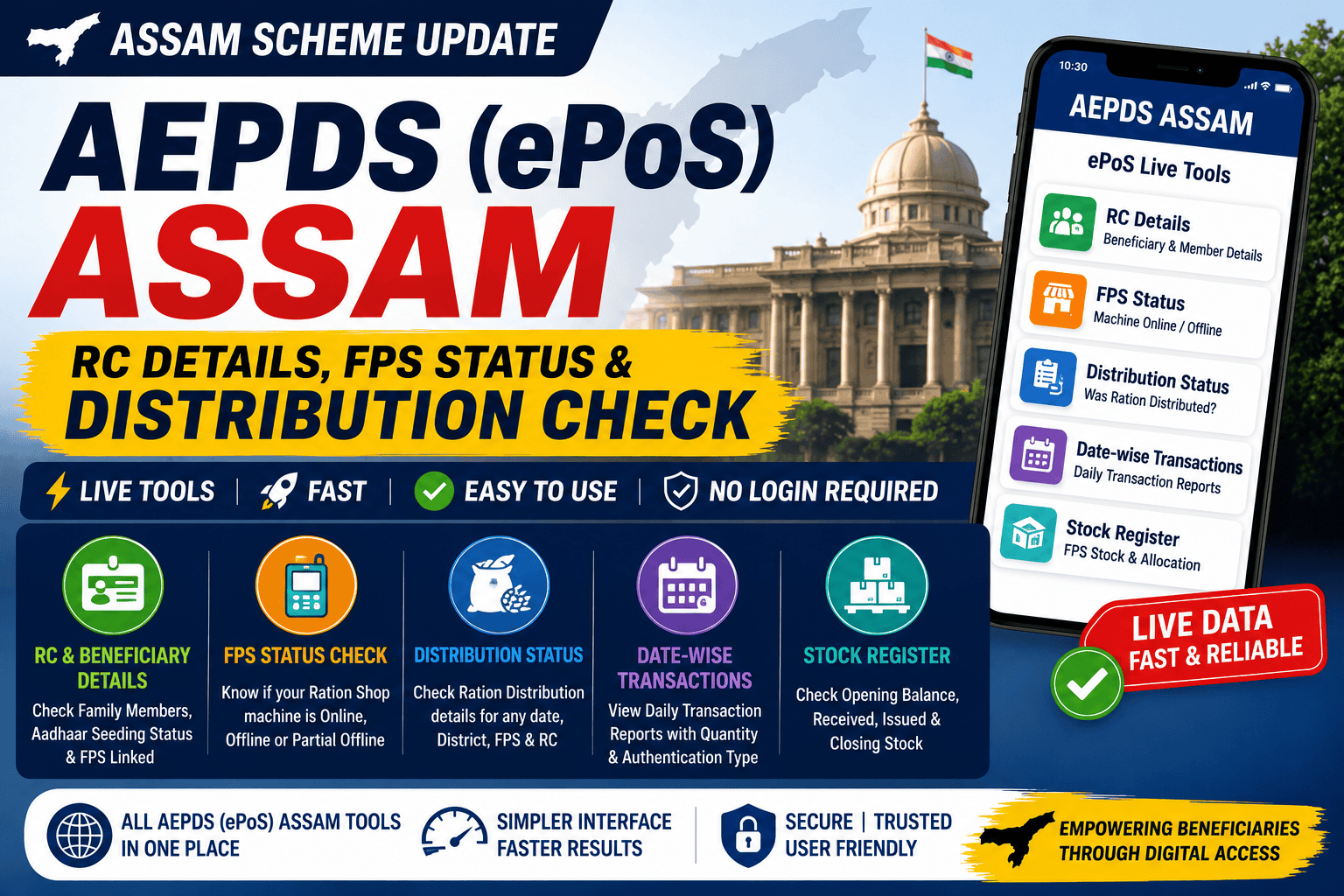
Alternatively, you can use the AssamInfoHub Live Tool to check AEPDS (ePoS) Assam RC details, beneficiary details, FPS status, sales register, distribution status, and date-wise transaction records in one place with a simpler and faster interface.
AEPDS Assam (ePoS) Live Tools:
All ePoS Assam Tools in one place:
- Date-wise transaction checker — see which dates your FPS distributed ration
- Distribution status — check if this month’s ration reached your shop
- Sales register — verify stock allocated vs distributed at your FPS
- FPS status check — confirm your shop is active and biometric enabled
- Beneficiary list — find your name and RC status in AEPDS
🌾 ePoS Assam — All Tools
Distribution · FPS Status · Transactions · Stock · RC Details — one place
Fetching districts…
Loading offices…
| # | District | Total Cards | Availed |
|---|
Loading offices…
| # | Office | Total Cards | Availed |
|---|
Loading FPS shops…
| # | FPS ID | Dealer | Cards | Availed |
|---|
Loading RC transactions…
| # | RC Number | Scheme | Avail Type | Receipt No | Date | Sugar | Salt | Mdal | Frice | Amt(₹) | Port | Auth Time |
|---|
Fetching transaction data…
| # | Date | Cards | Issue Qty (Kgs) | |||||
|---|---|---|---|---|---|---|---|---|
Fetching stock data…
| # | Commodity | Unit | OB (A) | Received | Issued (E) | Balance (CB) | Distribution % |
|---|
Fetching FPS data…
| District | Office | Depot | Device ID | Dealer | Nominee 1 | Nominee 2 |
|---|
Fetching beneficiary data…
| # | Member | Gender | Age | Status | UID | Verification |
|---|
What Is AePDS Assam
AePDS stands for Aadhaar Enabled Public Distribution System. It is the technology backbone behind Assam’s ration distribution. Every time someone collects ration from a Fair Price Shop using fingerprint or iris scan, that transaction gets recorded in the AePDS system.
The government portal at epos.assam.gov.in runs on this system. It is called the ePoS system because the actual device at each ration shop is an electronic Point of Sale machine. The two names, AePDS and ePoS Assam, refer to the same platform. You will find both used interchangeably on government documents.
The system covers:
– Over 71 lakh ration cards across Assam
– Around 32,000 Fair Price Shops
– Multiple schemes including PHH (Priority Household), AAY (Antyodaya Anna Yojana), and PMGKAY
What You Can Check Here
The tool embedded on this page connects to the same server that powers the official portal. The difference is that you get a cleaner interface and do not have to navigate through multiple pages.
**Distribution Status** — Enter a date and drill down from district level to individual FPS level. You can see which shops distributed ration that day and view RC-wise transaction details including the receipt number, commodity quantities, and authentication method.
**Date-Wise Transaction Report** — Select a month, year, district, and FPS to see a day-by-day breakdown of how many cards were served and how much stock was distributed each day.
**FPS Stock Register** — View the stock position of any FPS for a given month. This shows opening balance, quantity received, quantity issued, and closing balance for each commodity like rice, salt, sugar, and MDal.
**FPS Status Check** — Enter any FPS ID to see whether the machine is currently online, offline, or showing partial offline status. Also shows the dealer name, assigned depot, device ID, nominee details, and a month-by-month key register.
**RC Beneficiary Details** — Enter your RC number along with month and year to see all family members registered under that card, their Aadhaar seeding status, and the FPS they are linked to.
How to Use the Tool Above
The tool has five tabs at the top. Tap the one that matches what you need to check.
For **Distribution Status**, select a date first. The tool will load all districts. Tap your district, then select your office or block, then tap your FPS shop. The RC-wise transaction list will appear.
For **Date-Wise Report**, select month and year. The district and AFSO dropdowns will load automatically. Then select your FPS and tap Get Report.
For **FPS Stock Register**, select month and year, then pick your district, office, and FPS. You can search for the FPS by name or type the ID directly if you have it.
For **FPS Status**, just type the FPS ID and tap Check. The machine status shows immediately along with all shop details.
For **RC Beneficiary Details**, select month and year, enter your RC number, and tap Get Member Details.
Finding Your RC Number
Your RC number is printed on your ration card. It is usually a 10 to 12 digit number. If you have a digital ration card, it appears at the top of the card.
You can also find your RC number by asking at your local FPS shop or visiting the block-level civil supplies office.
Finding Your FPS ID
The FPS ID is a 12-digit number printed on receipts from the ePoS machine at your ration shop. It is also displayed on the signboard outside the shop in most cases.
If you do not have the FPS ID, use the search by name option in the FPS Stock Register or FPS Status tabs. Select your district and office first, and then type the shop name or dealer name in the search box.
Understanding FPS Status
The FPS Status tool shows three possible values.
**Online** means the ePoS machine at that shop is connected and working normally. Transactions can happen.
**Offline** means the machine has no connection to the server. Beneficiaries visiting an offline shop may not be able to collect ration through biometric authentication. In such cases, contact your DFSO (District Food and Civil Supplies Officer) or the block supply officer.
**Partial Offline** means the machine is connecting intermittently. Transactions may work at certain times of the day but fail at others. This usually resolves on its own, but if it persists for more than two days during the distribution period, report it to the block office.
Understanding RC Beneficiary Status
In the beneficiary details table, you will see two columns related to Aadhaar.
**UID Status** shows whether the family member has linked their Aadhaar to the ration card. “Seeded” means it is linked. “Not seeded” means it has not been done yet. Members whose Aadhaar is not seeded may face issues during biometric authentication at the FPS.
**Verification Status** shows the masked Aadhaar number in the format XXXX-XXXX-1234. This is how the government portal displays it and we show it the same way. The full number is never visible anywhere on this tool.
If you have ever stood at your ration shop and wondered whether the ePoS machine actually recorded your collection correctly, or if your family members question why the ration did not come even though you went to the shop — ePoS Assam is the system that has the answer.
Most ration card holders in Assam know the ePoS machine at their shop as the black or grey device the dealer uses to scan your finger before giving rice and other items. But very few people know that this same machine uploads every transaction to an online portal — and that this portal is publicly accessible. You do not need a password or government credentials to check most of the information that matters to you.
This guide explains what ePoS Assam is and how you can actually use it in real life.
If you want to understand how ration cards work in Assam, eligibility, and benefits, read our complete Assam ration card guide.
What Is ePoS Assam — The Simple Explanation
ePoS stands for electronic Point of Sale. Before ePoS, ration distribution in Assam worked on paper — dealers kept paper registers, wrote names manually, and there was no way to verify whether ration actually reached beneficiaries. This led to widespread issues where ration was recorded as distributed even when it was not.
The Government of Assam introduced the ePoS system to fix this. Every Fair Price Shop in Assam now has a small electronic device — the ePoS machine — connected to the internet. When you collect your monthly ration, the dealer authenticates your identity using your Aadhaar fingerprint or OTP on this machine. The moment authentication succeeds and ration is given, the transaction is recorded digitally and uploaded to the central server.
This ensures your ration collection is properly recorded and can be verified online anytime.
In some cases, there may be a delay in syncing transaction data to the portal, especially in areas with poor connectivity.
ePoS Assam full form: ePoS stands for electronic Point of Sale. The portal is officially called AePDS — Aadhaar enabled Public Distribution System — Assam. The URL epos.assam.gov.in is the same portal. Both names refer to the same system.
Everything Available at epos.assam.gov.in — Section by Section
The epos.assam.gov.in portal has multiple sections. Let me go through each section one by one so you know exactly where to click for what.
| Section Name | What It Shows | Who Uses It | Login Required? |
| FPS Status | Whether your Fair Price Shop machine is currently active, inactive, or having connectivity issues | Beneficiaries checking if their shop is operational | No — public access |
| Transaction Details | Month-wise distribution records for any FPS — enter FPS ID, month, year to see how many beneficiaries received ration | Beneficiaries verifying if ration was distributed at their shop | No — public access |
| FPS Details (dfso_fps_details) | List of all FPS shops in Assam with their FPS ID numbers, dealer names, and location | Anyone looking up their FPS ID number | No — public access |
| RC Details | Ration card details — beneficiary name, members, scheme (AAY or PHH), entitlement, and last transaction date. Read our dedicated ePoS Assam RC Details guide. | Beneficiaries checking their own RC information | No — public access |
| Stock Details | How much ration stock was allocated to each FPS shop. Read our dedicated ePoS Assam Sales Register guide to know the ration stock allocation. | For cross-checking whether ration arrived at your shop | No — public access |
| Sale Register | Date-wise transaction register showing all distributions at an FPS. | Detailed verification of specific transaction dates | No — public access |
| Official Login | Government officials manage distributions, update records, and generate reports | FPS dealers, block officials, DFSO staff only | Yes — credentials required |
For a complete walkthrough of checking date-wise records including how to spot wrong entries and what to do about them, read our dedicated Date-Wise Transaction guide.
Important: Most sections of the portal are publicly accessible without any login. If any section asks you to log in, that is meant for government officials only. As a beneficiary, you should be able to check all the sections listed above as No login required without entering any password.
How to Check FPS Status at epos.assam.gov.in
FPS status tells you whether your Fair Price Shop machine is currently working. If the machine shows as inactive, your dealer may legitimately claim they cannot authenticate beneficiaries that day.
- Go to epos.assam.gov.in
- Look for FPS Status in the navigation menu
- Select your district from the dropdown
- Select your block or circle
- The list of all FPS shops in that block appears with their current status — Active or Inactive
- Find your FPS shop name in the list and check the status column
For a complete step-by-step guide on checking FPS status including what active and inactive means and what to do if your shop is repeatedly showing inactive, read our detailed ePoS Assam FPS Status Check guide.
How to Check Distribution Status — Was Ration Given at Your Shop?
Distribution status is different from FPS status. FPS status tells you if the machine is working. Distribution status tells you if ration was actually given to beneficiaries through that machine this month.
- Go to epos.assam.gov.in
- Click on Transaction Details in the menu
- Select the year and month
- Enter your FPS ID number — find this at epos.assam.gov.in/dfso_fps_details
- The report shows how many beneficiaries received ration at your shop and individual RC-wise transaction records
To verify whether ration was actually distributed at your shop this month, use the ePoS Assam Distribution Status check.
How to Find Your FPS ID Number
This is the most commonly asked question by beneficiaries trying to check their distribution status. The FPS ID is a unique number assigned to every Fair Price Shop in Assam. You need this number to check transaction details.
- Go to epos.assam.gov.in/dfso_fps_details
- Select your district from the dropdown
- The page shows all FPS shops in your district with their FPS ID numbers, dealer names, and village/ward location
- Find your village or ward name in the list
- The FPS ID shown next to your village FPS is the number you need for transaction checks
Alternative: If you cannot find your FPS shop in the online list, visit your Gaon Panchayat Secretary and ask for the FPS ID of your village ration shop. Every Panchayat Secretary has this number. You can also ask your FPS dealer directly — the FPS ID is printed on their ePoS machine receipt.
How to Check Your RC Details at epos.assam.gov.in
RC Details shows the information stored against your ration card in the ePoS system. This includes your name, family members, the scheme you are under (AAY or PHH), your monthly entitlement, and when ration was last distributed against your card.
- Go to epos.assam.gov.in
- Look for RC Details or Ration Card Details in the menu
- Enter your RC number — the ration card number printed on your physical card
- Enter the captcha and click Submit
- Your complete RC information appears including last transaction date
The last transaction date is important. If it shows the current month, your ration was distributed and recorded this month. If it shows a previous month, no transaction was recorded against your card in the current month — which means either you did not collect ration, the dealer did not scan your card properly, or the machine was offline and the transaction was not uploaded.
If your last transaction date is more than 2 months old but you have been going to collect ration, something is wrong. The dealer may be distributing manually without using the ePoS machine — which is against NFSA rules. Visit your Circle Office and report this with your RC number and the dates you visited the shop.
You can also check whether your ration card is active or suspended using the Assam ration card status check tool.
What Is the Difference Between ePoS, AePDS, RCMS and PDS in Assam?
Many people searching for ration card information in Assam come across these different names and portals and get confused. Here is a clear explanation:
| Name / Portal | What It Is | URL | What You Use It For |
| ePoS Assam or AePDS | Electronic Point of Sale system — records ration distribution transactions at FPS shops | epos.assam.gov.in | Check FPS status, distribution records, transaction details, RC details |
| RCMS Assam | Ration Card Management System — manages ration card information, beneficiary lists, and entitlements | rcms.assam.gov.in | Check your ration card details, beneficiary list, card status (active/suspended), PDS details |
| PDS Assam | Public Distribution System — the overall system of ration distribution in Assam | pds.assam.gov.in | General PDS information, scheme details, district-wise data |
| NFSA Portal | National Food Security Act portal — national data on ration cards | nfsa.gov.in | Check your RC details at national level, PMAY eligibility |
Simple rule: Use rcms.assam.gov.in to check your ration card details and whether your card is active. Use epos.assam.gov.in to check if ration was actually distributed at your FPS shop this month. Both are useful but answer different questions.
For a complete explanation of ration card records and beneficiary details, refer to our Assam PDS details guide.
Common Problems Beneficiaries Face with the ePoS System in Assam
Problem 1 — Fingerprint not matching at the machine
This is the most reported problem across rural Assam. Farmers, daily wage workers, and elderly beneficiaries often have faded fingerprints from years of rough work. The ePoS machine cannot authenticate their biometric.
Solution: Ask your FPS dealer to use OTP-based authentication instead of fingerprint. On the ePoS machine, there is an option to switch from biometric to OTP. The OTP is sent to the mobile number registered with your Aadhaar. If you do not have a mobile number registered on Aadhaar, visit the nearest CSC centre and register one — this is free and takes 30 minutes.
Problem 2 — Dealer says machine has no network today
Connectivity in rural Assam is genuinely patchy, especially in flood-prone districts and hilly areas. But this claim is also sometimes used to justify manual distribution without ePoS recording.
Solution: Check the FPS status online at epos.assam.gov.in to verify whether the machine is actually showing as inactive on the date in question. If the machine shows as active online but the dealer claims it was offline when you visited, that is a discrepancy worth reporting to your Circle Office.
Problem 3 — Ration quantity is less than entitlement
Some beneficiaries receive less rice than they are entitled to under AAY or PHH norms. The ePoS machine records the quantity given at the time of transaction.
Solution: Check your transaction record on the RC Details page. If the quantity recorded is less than your entitlement, you have a documented case for a complaint. Take a screenshot of the RC details page showing the transaction amount and visit the DFSO office with it.
Problem 4 — Machine authentication passes but ration not given
An irregular practice that does occasionally get reported — the dealer scans your finger, authenticates the transaction, records the distribution, but gives you less ration or no ration and claims you already received it.
Solution: Always check the quantity given physically before leaving the shop. If the machine authenticates and a receipt is printed or shown, that receipt shows the quantity the system recorded as given. The dealer cannot later dispute what the machine recorded. If you were given less, report to the Circle Office immediately with the transaction date and your RC number.
How ePoS Assam Connects to Other Schemes — Orunodoi and Pension
Many people do not know that the ePoS system is connected to other welfare schemes in Assam beyond just ration distribution.
For Orunodoi eligibility, your NFSA ration card status in the ePoS and RCMS system directly affects whether you qualify. Orunodoi 3.0 scheme requires an active NFSA ration card — AAY or PHH category. If your ration card shows as suspended or non-NFSA in the system, your Orunodoi eligibility may be affected in the next verification cycle.
For Old Age Pension and Widow Pension, the Aadhaar linking status in your bank account (which is verified through the same DBT system) affects payment. While these pensions do not come through the ePoS machine, having your Aadhaar correctly linked and your ration card active keeps all your government benefit eligibility intact.
Practical advice: Keep your ration card active by collecting ration every month. An inactive transaction history — where no collection is recorded for 3 or more consecutive months — can flag your card for re-verification. This affects not just your ration but potentially your Orunodoi eligibility too.
ePoS Assam for Migrant Workers — One Nation One Ration Card
If you or a family member works in another state — in a factory in Surat, on a construction site in Chennai, or in a tea garden in a different district — they may still be able to collect ration through their Assam ration card at any fair price shop in India.
This is called the One Nation One Ration Card (ONORC) scheme. The ePoS system supports this — any ePoS-enabled FPS shop in India can authenticate your Aadhaar and distribute ration against your Assam ration card.
The transaction gets recorded in the Assam system just like a local collection. The quantity distributed in another state is deducted from your monthly entitlement so the local family members should not try to collect the same month from the Assam shop if the migrant has already collected elsewhere.
Frequently Asked Questions
What is ePoS Assam?
ePoS Assam is the electronic Point of Sale system used at all Fair Price Shops (ration shops) in Assam under the National Food Security Act. The official portal is epos.assam.gov.in. It uses Aadhaar biometric or OTP authentication to verify beneficiaries before distributing subsidised food grains. Every transaction is recorded digitally on this system.
Does ePoS Assam Require Login?
Without any login, you can check FPS Status (whether your ration shop machine is active), Transaction Details (whether ration was distributed at your shop this month by entering the FPS ID), FPS Details (to find your FPS ID number), RC Details (your ration card information and last transaction date), and Stock Details (how much allocation came to your FPS shop).
How is ePoS Assam different from RCMS Assam?
RCMS Assam (rcms.assam.gov.in) manages ration card records — who is on the beneficiary list, card category, and family member details. ePoS Assam (epos.assam.gov.in) manages distribution transactions — whether ration was actually given at the shop and when. Use RCMS to check your ration card, use ePoS to check if distribution happened.
My fingerprint does not work at the ePoS machine — what should I do?
Ask your FPS dealer to switch to OTP-based authentication. On the ePoS machine, there is an OTP option where an SMS is sent to your Aadhaar-registered mobile number. If you do not have a mobile number registered on Aadhaar, visit the nearest CSC centre to register one for free. This resolves the fingerprint issue permanently.
How do I find my FPS ID number?
Go to epos.assam.gov.in/dfso_fps_details, select your district, and find your village in the list. The FPS ID is shown next to your village name. Alternatively, ask your Gaon Panchayat Secretary or your FPS dealer directly.
epos.assam.gov.in is not opening — what to do?
The official ePoS Assam portal sometimes becomes slow or inaccessible during peak ration distribution periods. If the website is not loading properly, you can still use the AssamInfoHub AEPDS Live Tool above to check RC details, FPS status, distribution records, sales register, stock details, and date-wise transactions through a simpler and faster interface.
Final Note
The ePoS system in Assam represents one of the most important public accountability tools available to ration card holders.Many ration card holders are unaware that they can verify this information online themselves.
Understanding how to use epos.assam.gov.in puts you in control of your ration entitlement. You do not have to take anyone word for whether distribution happened — the data is there, public, and verifiable by anyone with internet access.

Hi, I’m Palash, the person behind AssamInfoHub — an independent platform helping Assam citizens understand government schemes, pensions, and welfare programs in simple language. Information published here is compiled from official government notifications, district-level practices, and Panchayat-level verification methods. My goal is to reduce misinformation and help families follow the correct procedures without depending on agents.